
Straight off the camera
Drop in the whole set as it comes off the card. No renaming, no dragging files around.
Drop in the photos straight off the camera. Bonsai Imaging straightens, crops, mirrors… everything! Let your people do people things.
A real scan, shared with permission. CBCT viewer coming soon.
Your team takes the photos, drops them into Bonsai, and walks away. CBCT integration coming soon.
Drop in the whole set as it comes off the card. No renaming, no dragging files around.
Photos oriented the same way for every visit. Quickly move through all timepoints.
Photos sit alongside your pan, ceph, and custom CBCT views.
Built and used inside a busy orthodontic practice every day.
Drop in the raw photos. Each one is straightened, cropped, mirrored if it's a mirror shot, and placed on the collage. Custom radiograph views sit beside them.
A Bloom is one complete processing job: a full photo set and its CBCT, from import to finished collage. Photo cropping, mirroring, rotation and colour adjustments, plus pano and airway setup, all belong to the same Bloom.
Photos first. CBCT processing is coming soon.
Still cropping photos by hand?
Drop in the raw photos.
Straightened. Cropped. Mirrored. Filed.
Every photo. Done for you.
And your CBCT, right beside them.3D · coming soon
Every photo comes back framed. If you'd frame one differently, open it and nudge it.
Because every photo sits in the same frame, progress just shows itself.
The scan lives in the same record as the photos. Open it in place, then step back to the sheet.
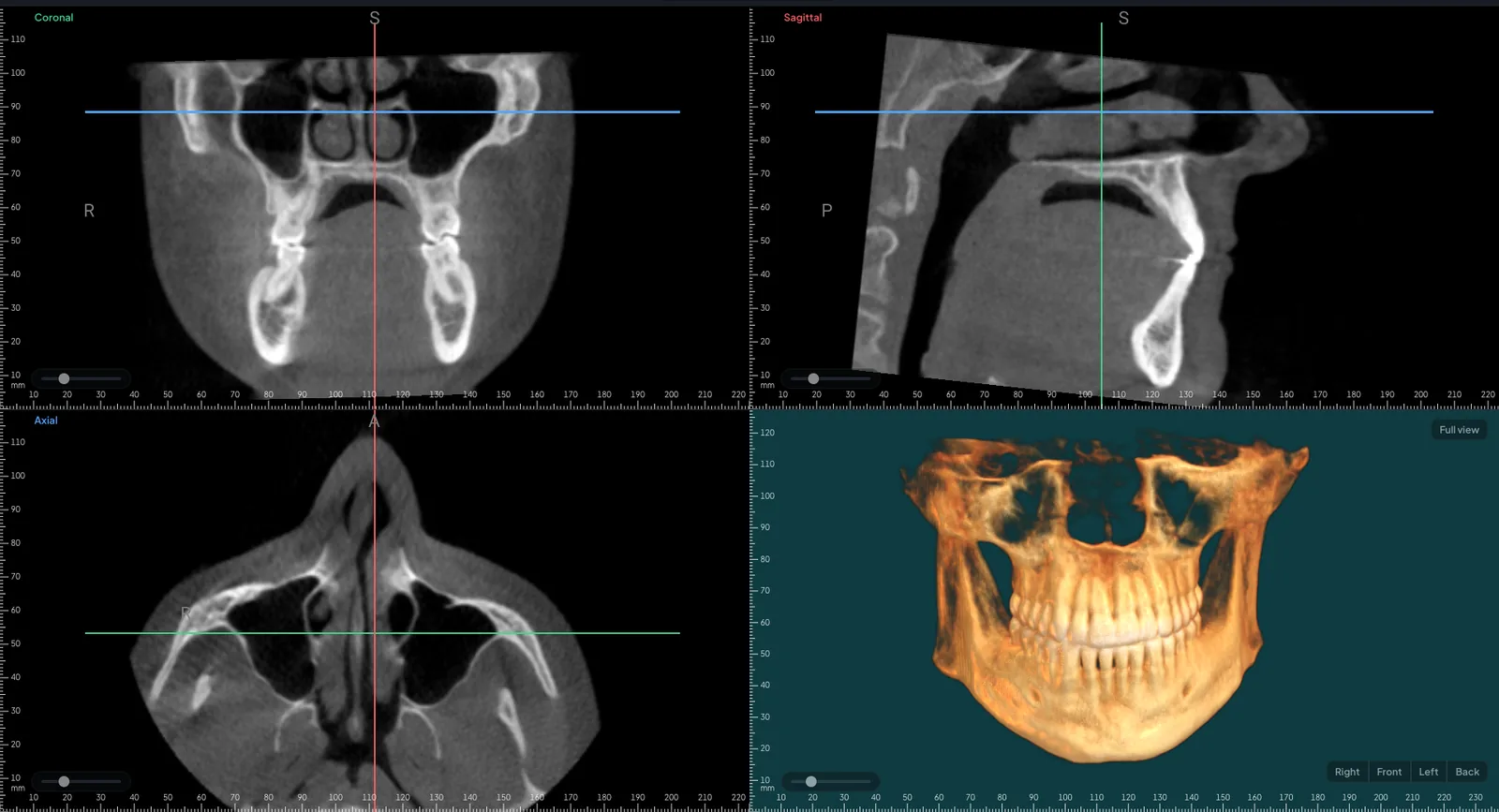
Coronal, sagittal and axial slices beside a 3D view, with the head levelled for you.
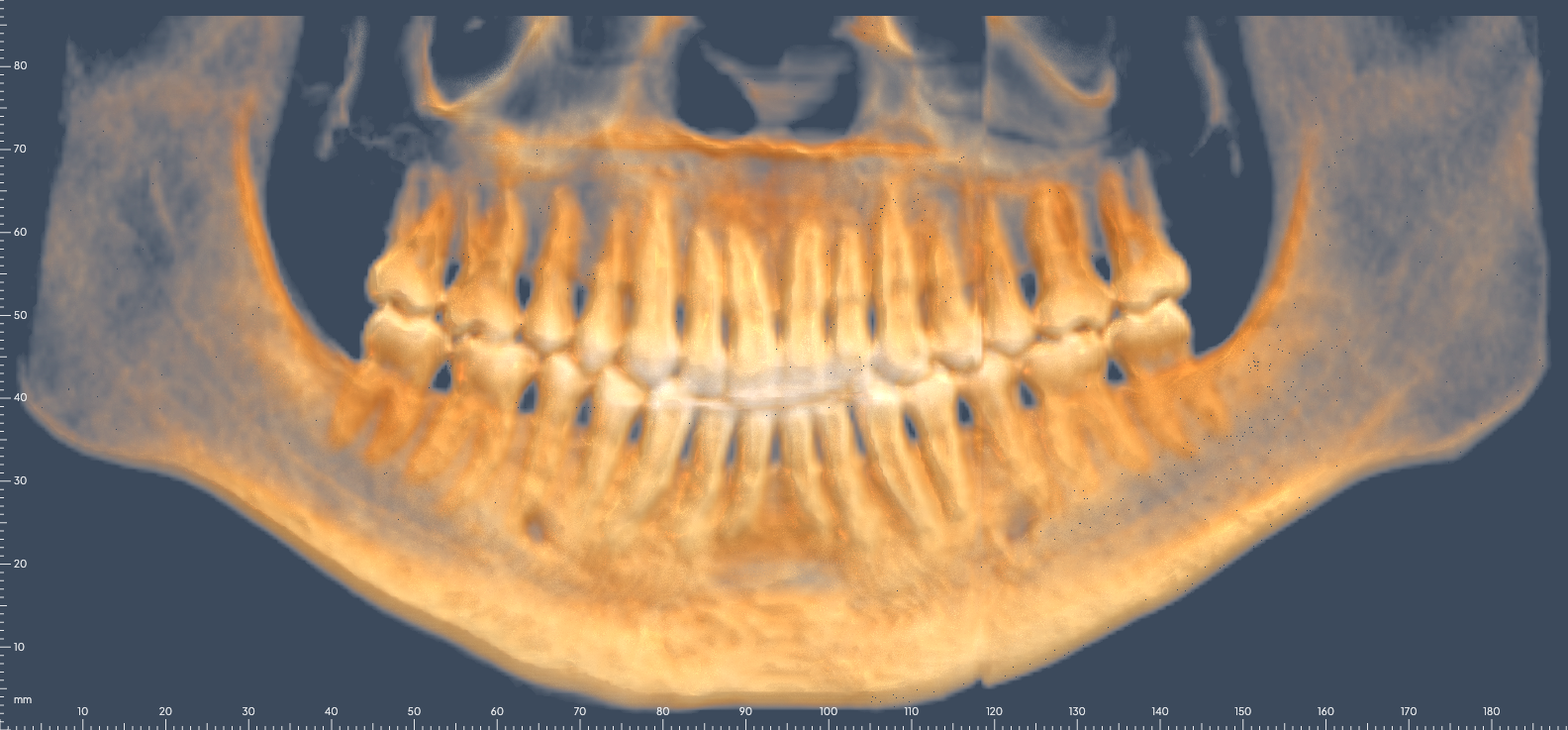
A panoramic unrolled from the scan along the arch, in bone colour or black and white.
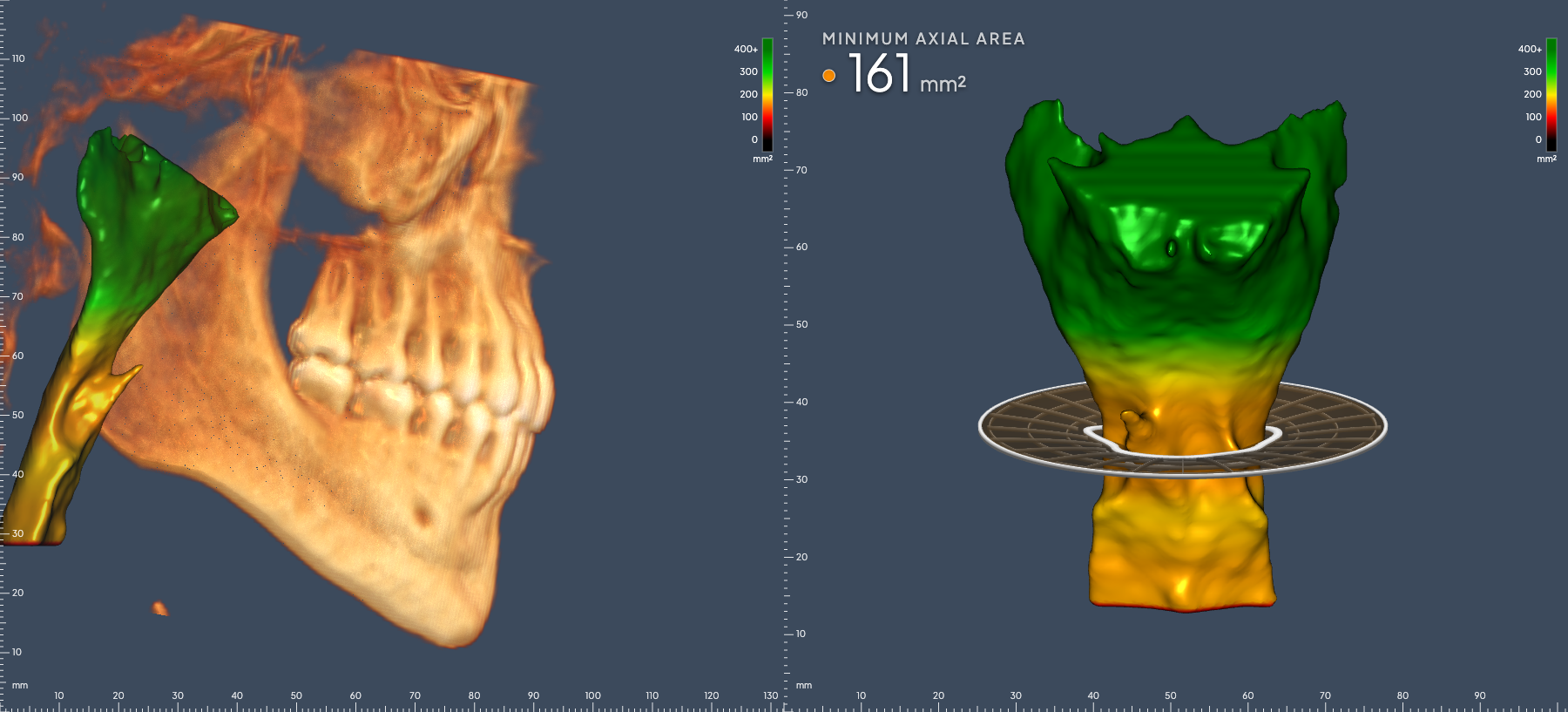
The airway on its own, shaded by width, with its narrowest point found and measured.
The CBCT viewer is still in development and is not yet FDA cleared. It isn't available for clinical use. The scan shown is real and shared with permission.
Tap record in the room. A draft note is waiting when you're done, and nothing leaves until the doctor approves it.
Schedule, time clock and time off in one place. Clocking in is the first thing on the screen.
A few taps a day from the team become the numbers that move a practice, charted for you.
And more behind them. One at a time, each one finished before the next.
Bonsai Imaging opens to a small group of practices first. A few practices and the two people who build it.
Patient education pages were requested inside Bonsai one morning in July. They were live on the test site that same day, and in use that night.
Bonsai Imaging opens to a small group of practices first.Join the waitlist and we'll reach out personally.
You're on the list. We'll be in touch personally.